
Connect a Datafox terminal to HRworks
The hours are created at the terminal and they are needed in HRworks. conni takes care of the step in between and transfers every entry automatically, so nobody has to pull them out of the device and move them into the software by hand.
What data does conni transfer to HRworks?
conni collects the entries captured at the Datafox terminal and transfers them automatically into HRworks via the official API.
Captured at the Datafox terminal
- Clock in
- Break start
- Break end
- Clock out
Automatically in HRworks
- Attendance times per employee
- Working and break time from the entries
- Matched via the employee ID in HRworks
Note: The exact data scope and direction depend on your HRworks licence and the conni modules you've enabled. In a consultation we'll clarify what gets transferred in your case.
Requirements & setup
- An API access token in HRworks
- A supported Datafox terminal
- The conni base module for data transfer
How to create the API credentials in HRworks and where to find your employees' user IDs is covered step by step in the conni knowledge base.
Open the guide
No retyping
Clock-in times land in HRworks automatically, no exporting, no duplicate work.
GDPR-compliant
Official API, servers in Germany, encrypted transfer.
Runs on its own
conni transfers autonomously in the background, nothing for you to manage.
Terminals that fit HRworks
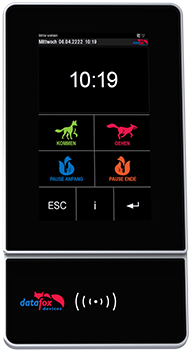
We recommend these Datafox terminals for use with HRworks:
Choose colour
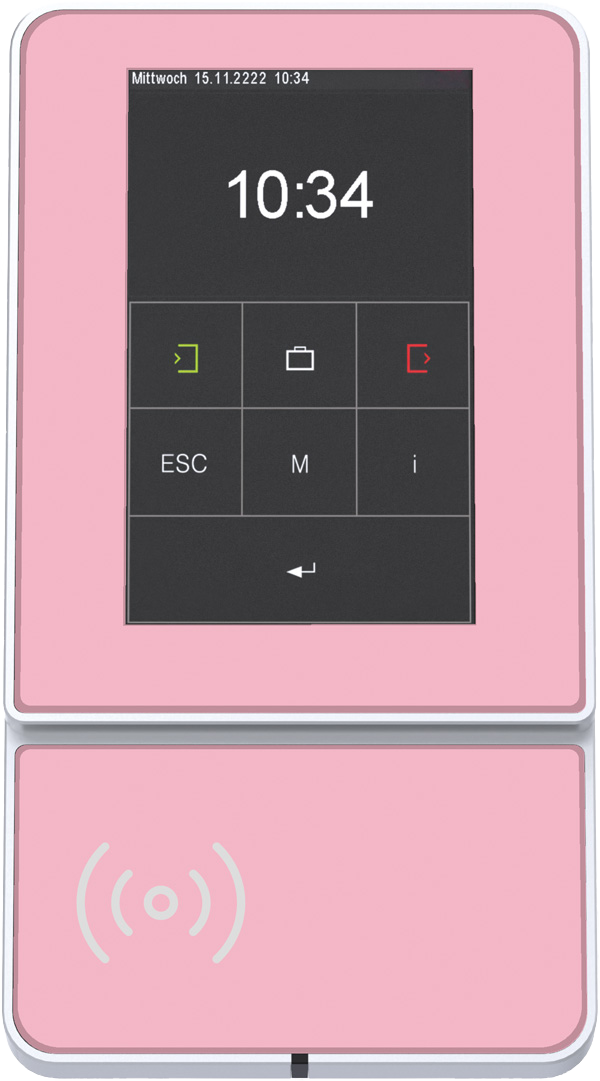
EVO 5.0 Flex
Real-glass front, aluminium frame and 15 colours: your brand at the entrance.
from 780 € plus VAT

All prices are non-binding guide prices, net plus VAT. The price becomes binding only with your personal quote.
Which conni modules work with HRworks?
These modules are enabled for HRworks. What is possible depends on your software's API, which is why the list differs per system.
- AmpelSee live who is working, on break or off shift.
- ZeitkontoTime account and balance tracking.
- Gezieltes StempelnGuided, targeted clocking.
- FingerprintSyncSync of biometric fingerprint data.
- HRworks Terminal VerknüpfungDedicated terminal linking for HRworks.
- Personalverwaltung wie gewohntEmployee management in your software's familiar format.
- Weboberfläche zur MitarbeiterpflegeWeb interface to manage employees.

Common questions about HRworks & conni
- How do my Datafox clock-in entries get into HRworks?
conni processes the entries from the Datafox terminal and transfers them automatically into HRworks via the official API. You don't need to export or retype anything.
- Is the transfer to HRworks GDPR-compliant?
Yes. conni uses official APIs only, transfers data encrypted and runs on servers in Germany.
- Can I use my existing Datafox terminal with HRworks?
Usually yes. Tell us your model. We'll check compatibility and set up conni for HRworks.
- What does the HRworks integration cost?
The cost depends on terminal, modules and number of users. Request a no-obligation quote and we'll break it down transparently.
Connect HRworks now
HRworks is already in place, the terminal maybe not yet. Get advice on which model suits your environment, or request a quote straight away. Both with no obligation.
Prefer to do the maths yourself and see the prices right away? Configure your terminal now
Prefer to write or call? Contact us